Newsbite is a daily news curation service designed for the modern, busy individual. It selects and summarizes reliable news and trends into concise sentences for quick understanding by utilizing AI. Ensures users stay informed and never miss out on important trends and news.
The revolution of Smartphones changed news consumption. Now, 86% of Americans get news from digital devices. These changes literally increased the amount of news. In this era where news can be shared and created by anyone, rather than just being delivered from traditional news brands in the past, people are easily overwhelmed by the constant floods of news.
I conducted a survey with 30 participants, interviews with 2 individuals, and desk research to identify the needs and practical problems of users.
Most participants consume news during their spare time. Thus, the most crucial aspect was to quickly access news in their areas of interest.
Most participants had specific preferences, including areas of interest and topics they didn't want to see.
Not only want short articles but want to quickly grasp the context, key information of the articles at a glance.
Provide not just summarized articles but also visual information, key points, and brief data from the news.
Allow users to set more detailed and specific interests.
Provide a proper amount of article and concise content
Set interests and preferences.
Pick and read an article AI summarized.
Add your categories or keywords of interests.
Through user testing with an initial wireframe, I discovered some flows that might be confusing for users and some parts that are difficult to fully reflect functions. Based on these insights, I iterated on the design to address these issues in the final version.
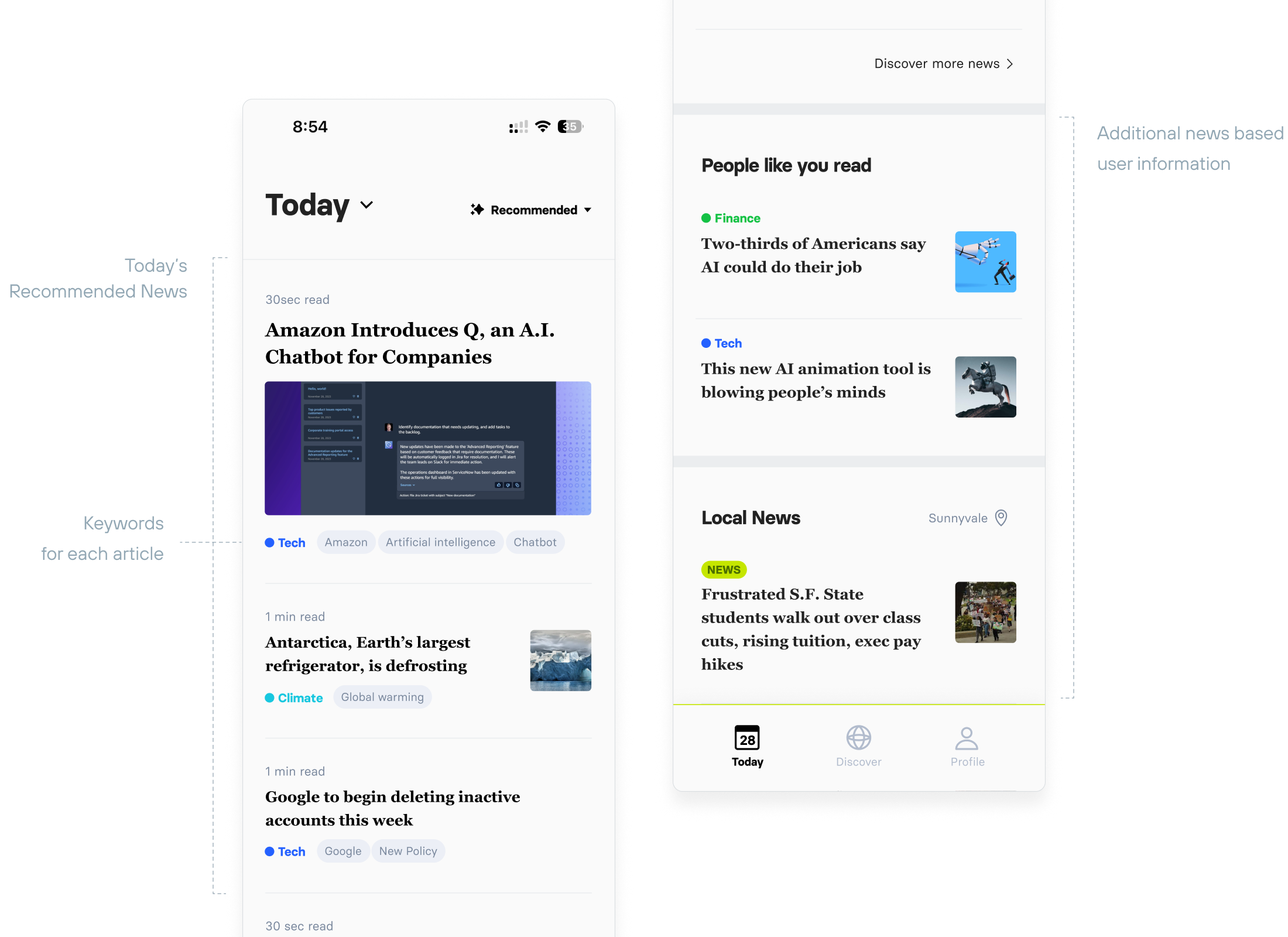
- The tab couldn’t cover all tag keywords that users chose.
- Clicking the tab to see different articles might not the efficient way to read news.
- Provide sort orption to show two differnet type of list view.
- Combine all articles into a page so that users can browse and read article more quickly.
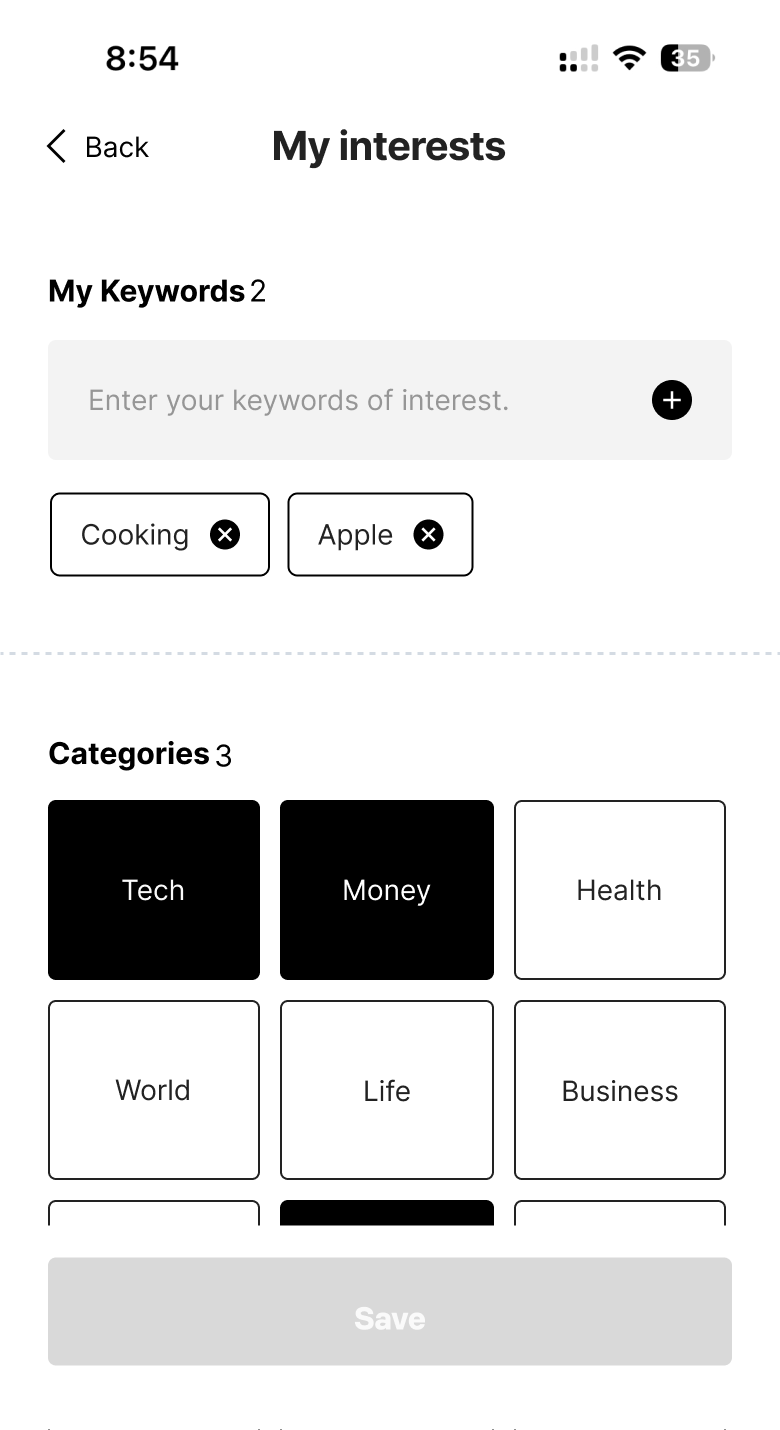
- Too many elements and different type of buttons on a page. It made users felt confusing how to add or change it.
- Some found it difficult to notice if it was saved or not, since the page remained the same and only displayed a subtle toast notification at the bottom,
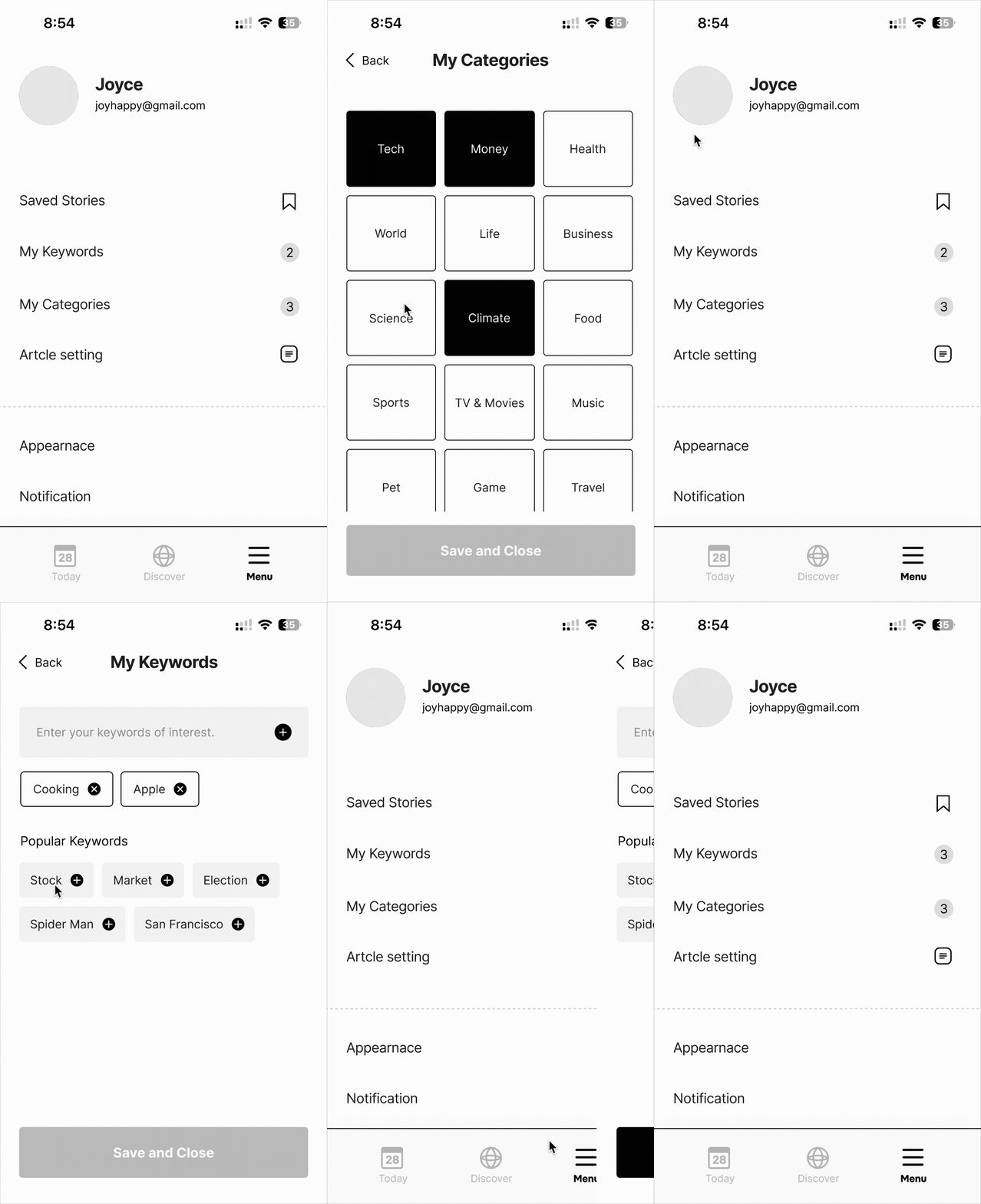
- To help users focus on each task, “My Interests” was divided into two separate menus: “My Keywords" and “My Categories.”
Through user testing with an initial wireframe, I discovered some flows that might be confusing for users and some parts that are difficult to fully reflect functions. based off of that result, I made iterations to improve issues in the final design.
Article detail page where key sentences are highlighted to help users quickly grasp the main points. Numerical data is presented through visual elements for easier comprehension, and for video content, timestamps are provided so users can navigate directly to the relevant moments.


